Door greeters

The moment they walk in,
don't jam the front desk.

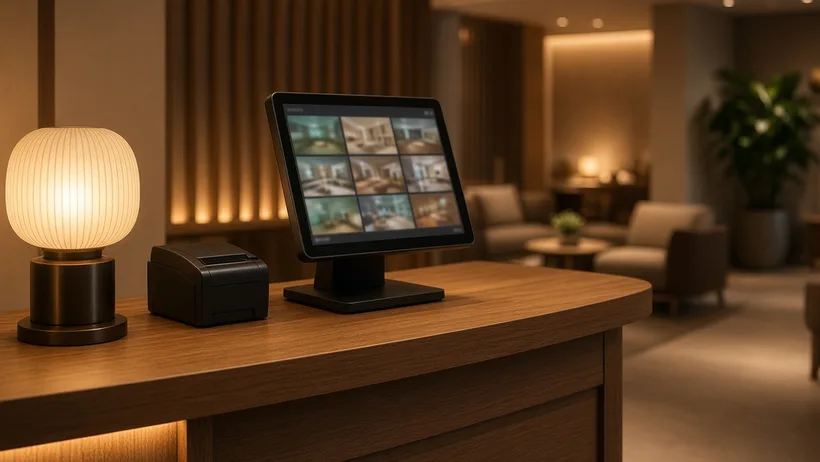
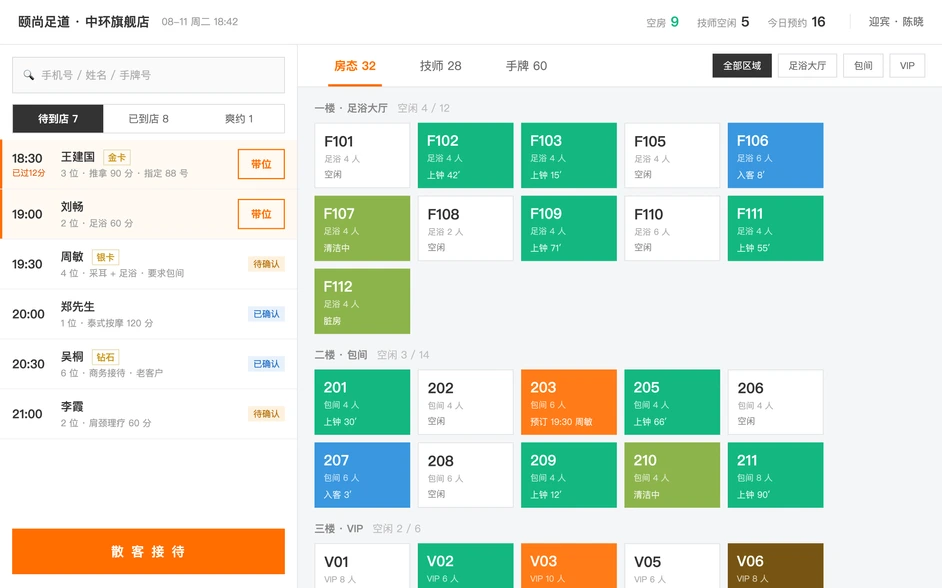
The tablet the door greeter works from. How many in the party, whether they booked, whether they are a regular — all of it settled as they walk in, then the room is picked, the wristbands go out and the guests are shown in, with nobody queueing at the front desk while it gets typed up.

  • Room status at a glance
  • Seating bookings
  • Wristbands and check-in
  • Arrival lookup
Any rooms free? Answered at the door

Greeter station

Arrivals should not pile up at the front desk

01

Any rooms free? Answered at the door

Six room states — free, booked, occupied, in session, cleaning, maintenance — refresh live, and who is waiting for a job and how many wristbands are left show at a glance. A room checked out at the cashier station frees up here straight away, with no turning round to ask.

  • Rooms grouped by area, colour-coded free / booked / occupied / in session / cleaning / maintenance
  • Therapists listed in rotation order, with an expected finish time on anyone in session
  • A change at the cashier station lands here at once, with nothing to refresh
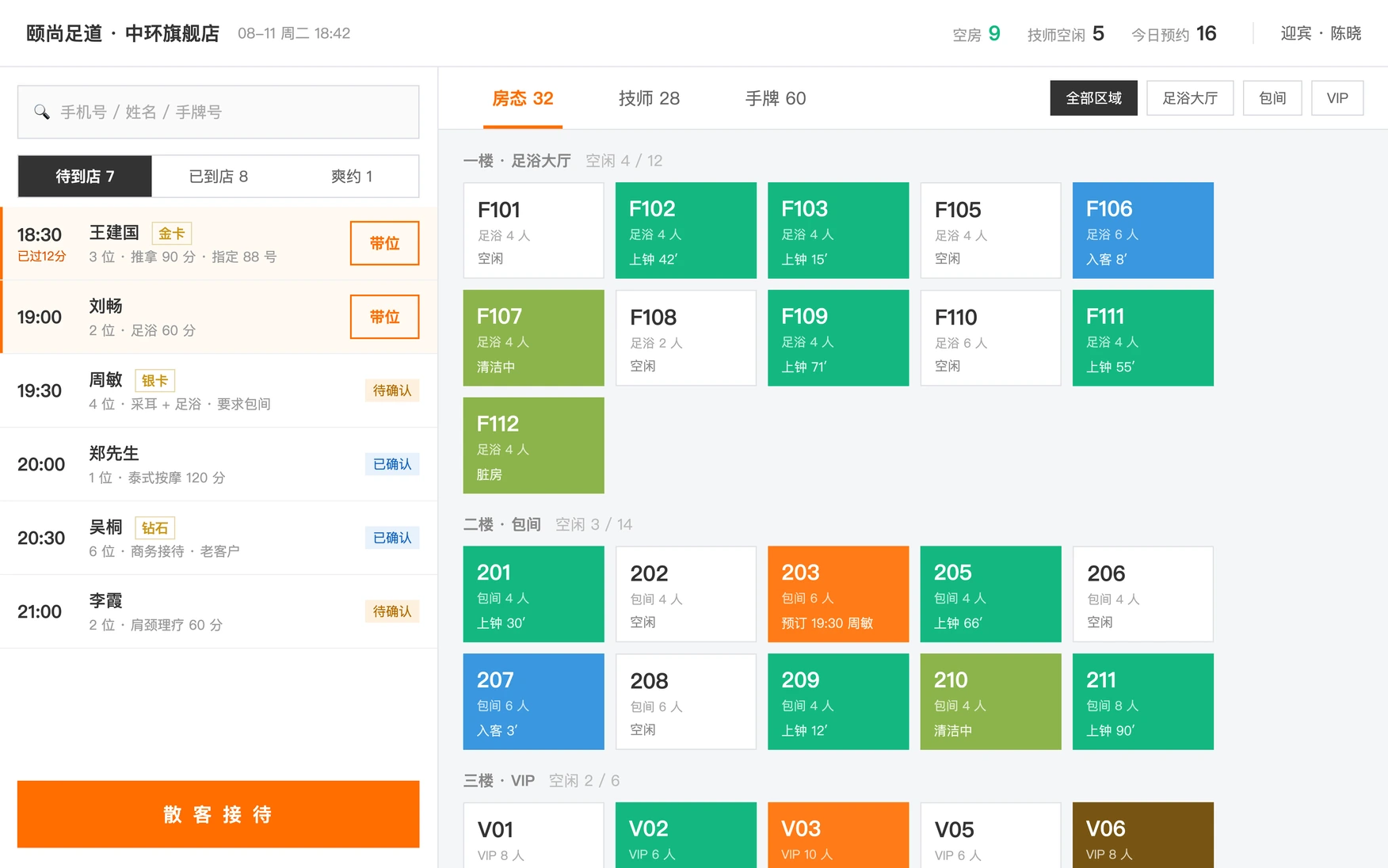
Any rooms free? Answered at the door

02

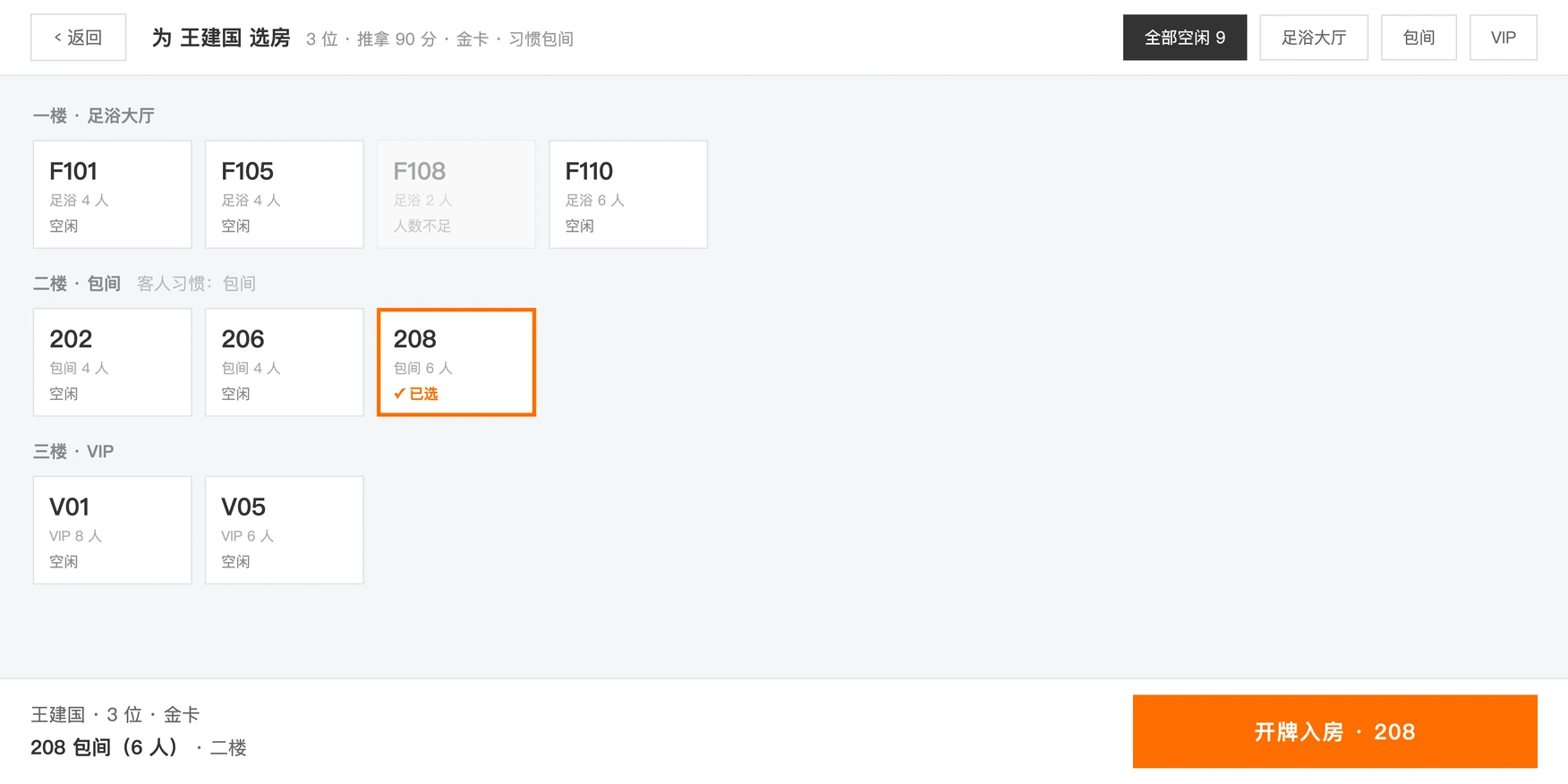
A booked guest gives a name and is seated

Who is due at what time, how many in the party and which therapist they asked for, listed down the left in time order. They arrive, you tap seat on their row, and checking them in and picking the room happen together; anyone past their time is flagged.

  • 1Split into due, arrived and no-show, with anyone due shortly flagged automatically
  • 2The status of the therapist they asked for is read straight off the board
  • 3A guest running late shows how many minutes over they are, with nothing to work out by hand

03

Room, wristbands, in — walked through in one go

Picking the room, entering wristband numbers, opening the room and linking the member — four steps done at the door, and the ticket appears at the cashier station as they go. A walk-in needs no booking created first: tap a free room and issue the wristband.

  • Rooms too small for the party are greyed out, so the wrong one cannot be picked
  • Several wristbands in one go, one per guest, each on its own session
  • Seating a booking and opening for a walk-in follow the same flow, so there is only one thing to learn
Room, wristbands, in — walked through in one go

04

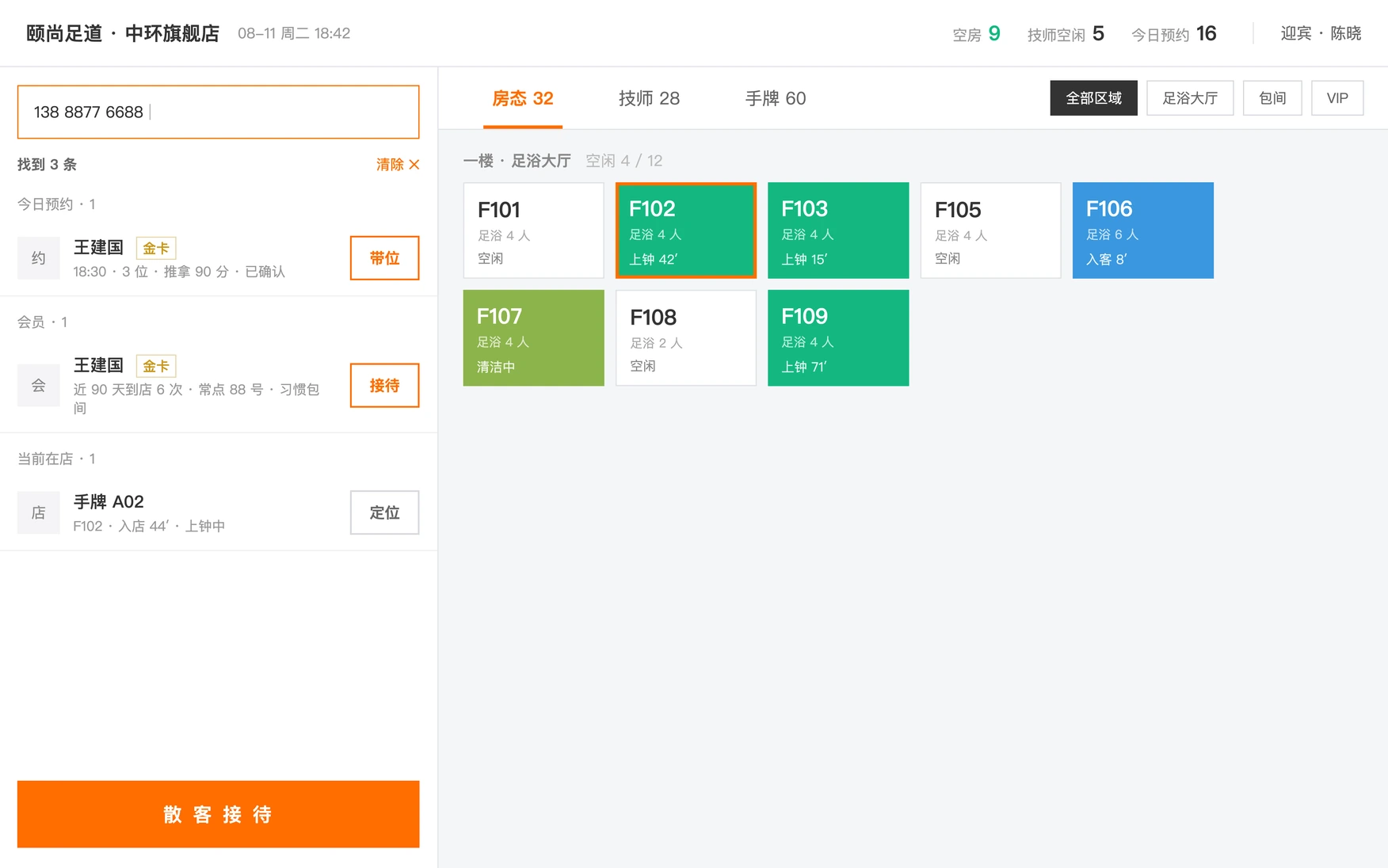
A regular walks in and you know who they are

Phone number, wristband number and name all go in the same box and the system works out which it is. Open the guest and you get the tier, habit tags such as sensitive to heat or prefers firm pressure, the advisor who looks after them, visits left on a pass and whether they are booked today — enough to arrange it the way they always have it. The screen faces the guest, and there is no balance and no spend figure on it.

  • Phone number / wristband number / name detected automatically, with no type to choose first
  • Habit tags and the assigned advisor come with the guest, so regulars get their usual arrangement
  • Money fields are stripped on the server rather than hidden in the app, so the tablet can face the guest safely
A regular walks in and you know who they are

A typical day

Door greeters seat guests, pick rooms and issue wristbands

  1. 10:40

    A look before opening

    How many rooms are free, how many therapists are in, whether there are enough wristbands — all known before the doors open.

  2. 13:20

    A booked guest arrives

    They give a name, you tap seat on the row, and check-in and room selection happen together.

  3. 17:50

    A walk-in comes in

    Tap a free room, issue a wristband per guest, and they are in the room there and then.

  4. 20:20

    A regular comes back

    Their phone number finds them, the habit tags and remaining pass visits are there, and they get their usual arrangement.

  5. 22:00

    Full house

    You can see who is about to finish, so you have an answer when a guest asks how long the wait is.

See what your own store looks like on it

Leave your details and a consultant will walk you through a demo built for your size and format.

Or call us at

400-123-4567

Sales enquiries 9:00–18:00

Your details are used only to contact you and are never shared.