Cashier / duty manager

Room status, orders, checkout,
on one screen.

Everything the front-desk computer or tablet has to do — room board, ticketing, dispatch, checkout, printing and shift handover — all in one screen, with no window switching.

  • Room board
  • Ticketing and dispatch
  • Checkout
  • Printing and handover

6 vacant · 11 in serviceChange it at the desk, the floor and the bell room see it

The whole floor on one screen

POS & front desk

What this app does every day

01

The whole floor on one screen

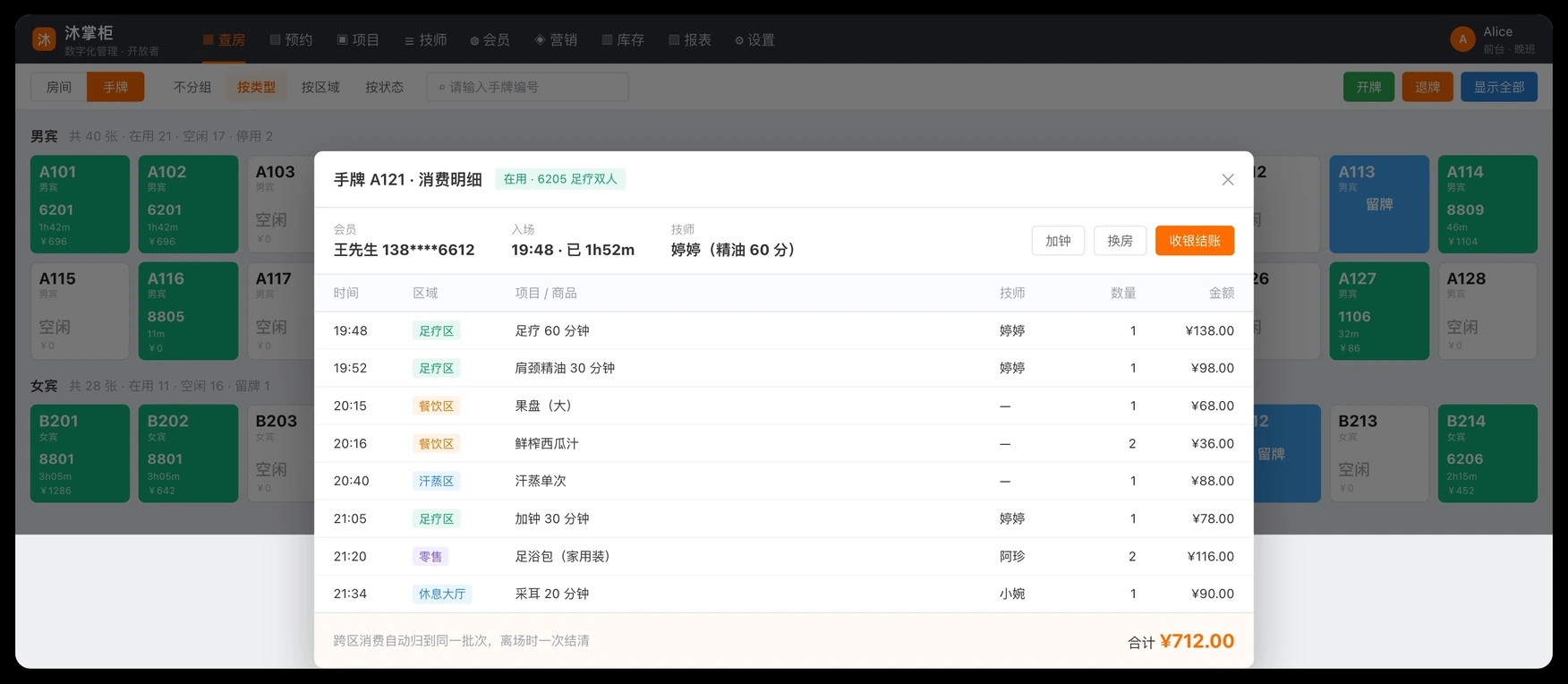
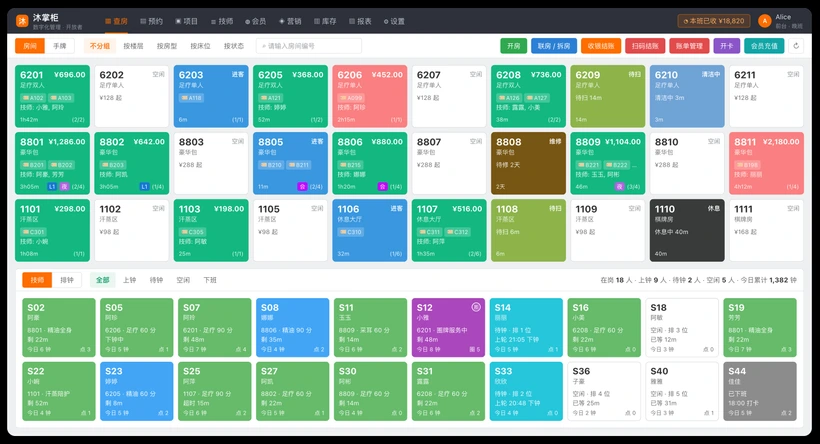
Five statuses — vacant, occupied, in service, needs cleaning, under repair — refresh live. Change something at the front desk and the floor app and dispatch board see it at once. No phone call needed.

  • Open, move, merge, split and close rooms on the same screen
  • Room changes push to the floor app and dispatch board in milliseconds, with no manual refresh
  • Cleaning and repair status is recorded and traceable throughout
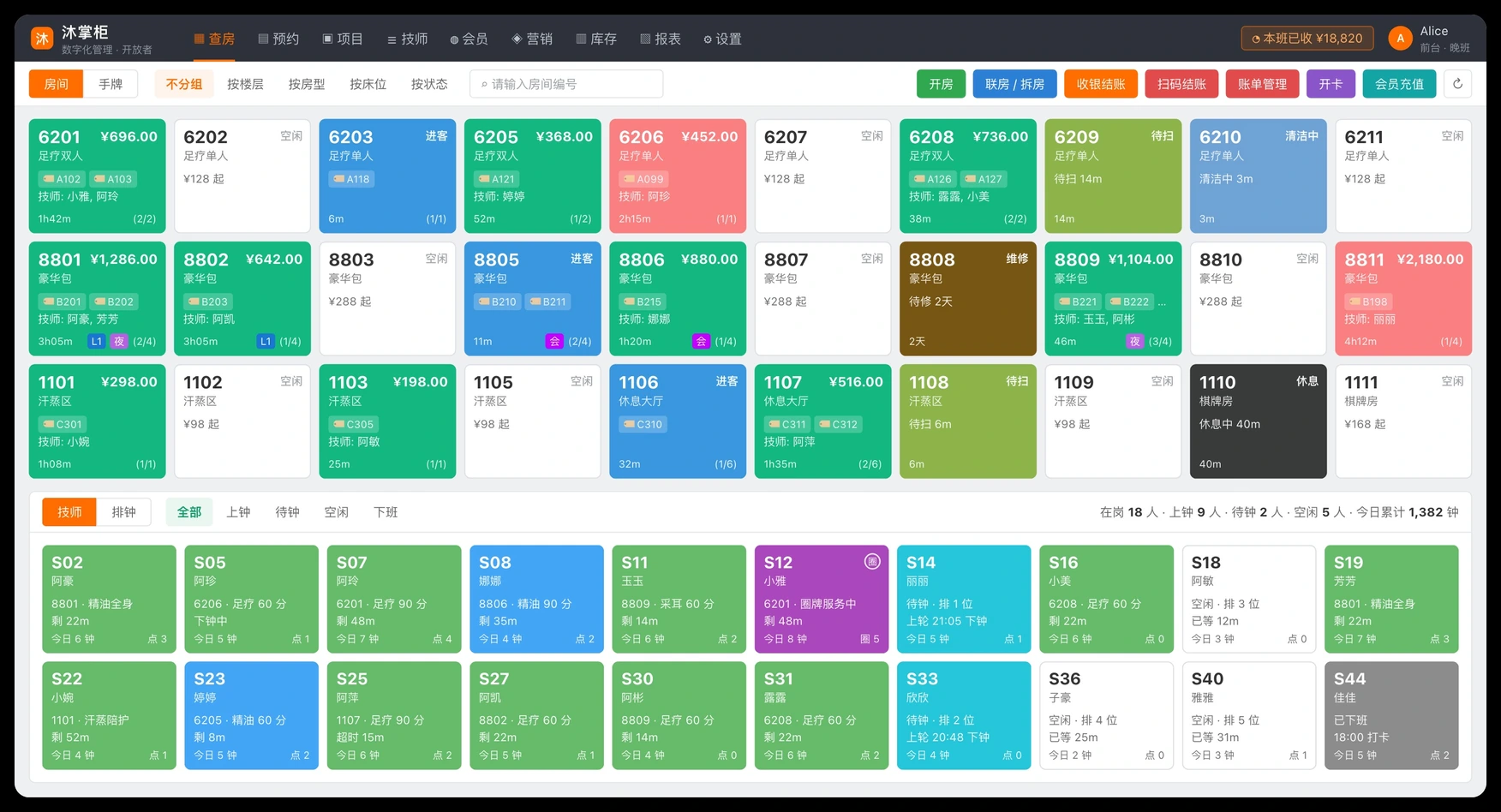
The whole floor on one screen

02

Ticketing and dispatch

Bind wristbands to rooms and members; requested therapists and rotation dispatch queue automatically. Extend a session, change service, switch therapist or cancel a session at any time — every step is recorded.

  • Issue wristbands in batches, and charges across areas roll into one batch
  • Requested therapist, rotation dispatch, held and waiting queue — the full flow
  • Extend session, change service, switch therapist and cancel session are all logged
Ticketing and dispatch

03

Take any kind of payment, and the books still balance

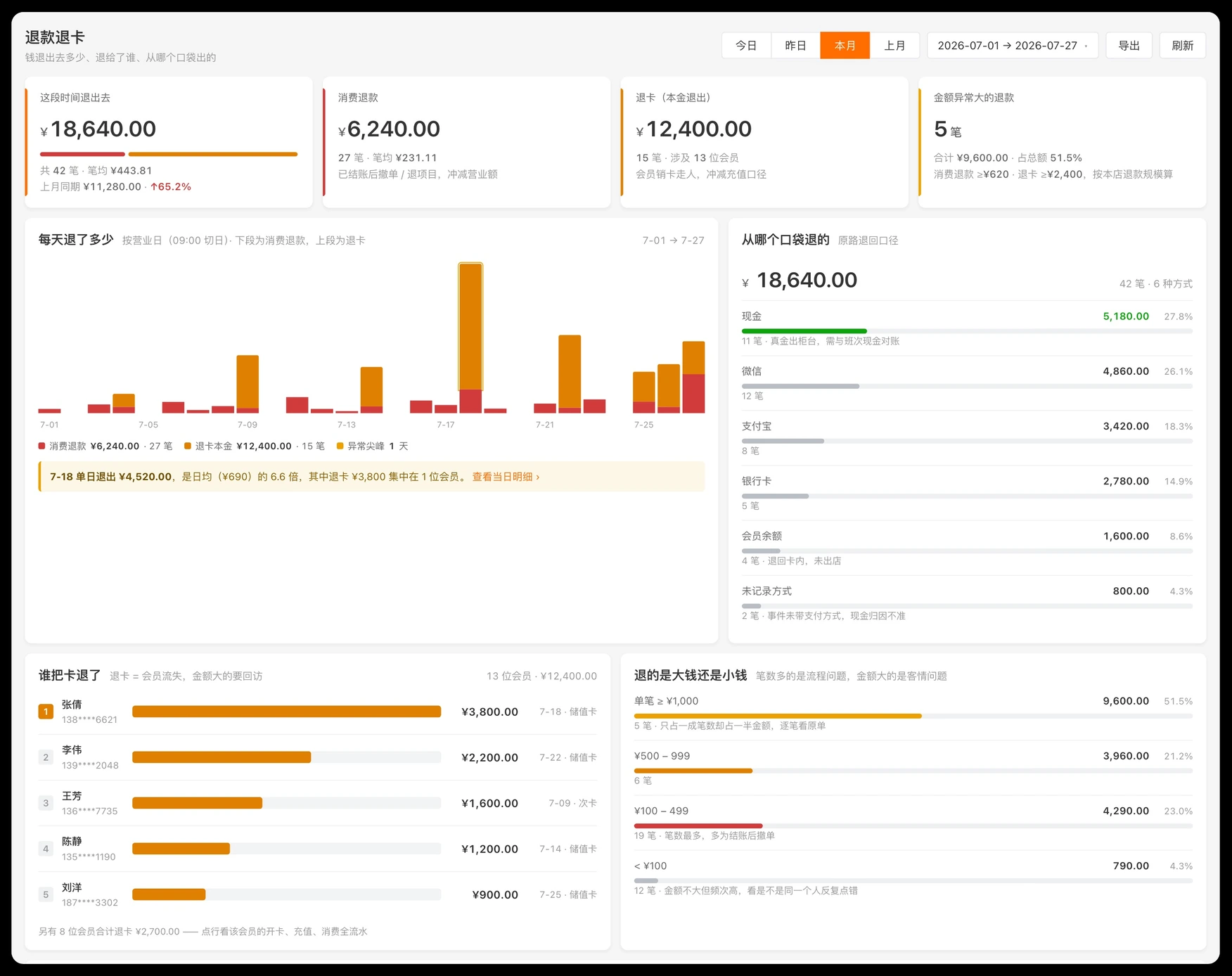
Record cash, member card, WeChat, Alipay, Meituan and Douyin payments; coupons, points redemption, discounts, waivers and on-account credit are all counted in, and everything flows straight into reconciliation.

  • Redeem Meituan and Douyin group-buy vouchers at the till
  • Store credit ledgers and credit limits, with repayments through the POS
  • Combine several member cards to cover one bill, with a PIN check on each card
Take any kind of payment, and the books still balance

04

Printing and shift handover

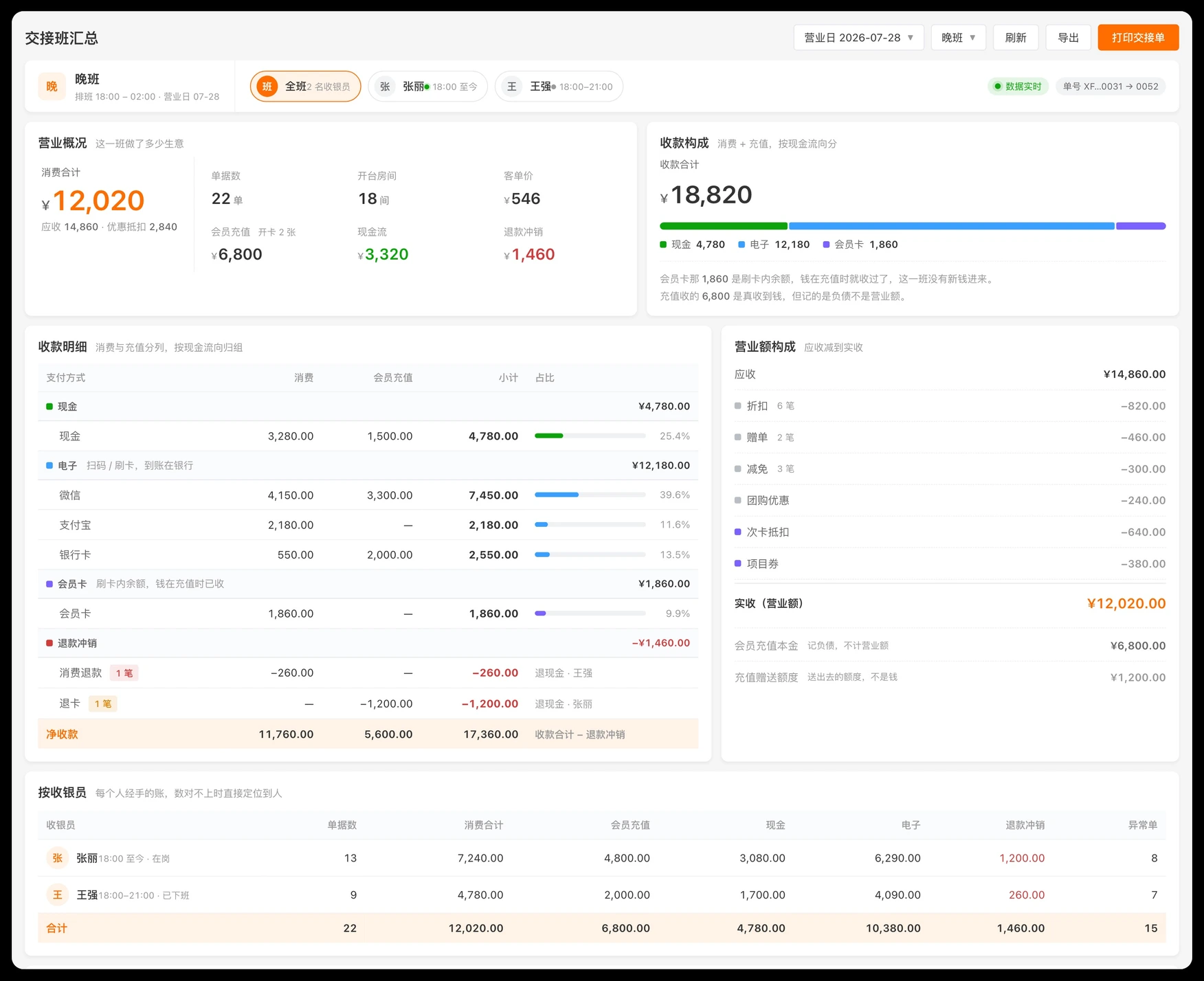
Five layers of print setup — device, station, destination, template and job — so you decide which machine prints what. Shift handover and business-day summaries come out in one click.

  • Thermal printers are found automatically, and you can set a primary printer
  • Print jobs push in real time and can be reprinted if they fail
  • Shift handover and business-day summaries in one click
Printing and shift handover

A typical day

Rooms, orders and checkout on one desktop or tablet screen

  1. 09:30

    Open the shift

    Check in, pull the previous shift's handover in one tap, count the cash, and open the doors.

  2. 11:00

    Guest arrives, open a room

    The front desk opens the room, issues a wristband and links the member. The floor app and dispatch board both light up.

  3. 11:05

    Dispatch and clock in

    The guest requests a therapist, or rotation dispatch picks the next one. The dispatch board announces it and the therapist heads over.

  4. 14:20

    Extend session or change service

    The guest wants more time or a different service. The front desk updates it, and the technician app and the bill follow.

  5. 16:40

    Checkout

    Member card, group-buy voucher and coupons all apply. The rest is recorded as cash or a scanned payment, and the receipt prints itself.

  6. 22:00

    Shift handover

    One click produces the handover sheet and the business-day summary. Cash and books balance on the spot.

See what your own store looks like on it

Leave your details and a consultant will walk you through a demo built for your size and format.

Or call us at

400-123-4567

Sales enquiries 9:00–18:00

Your details are used only to contact you and are never shared.